Designing a Voice User Interface for Food Ordering in Car
What happens when in-car voice AI becomes part of everyday life?
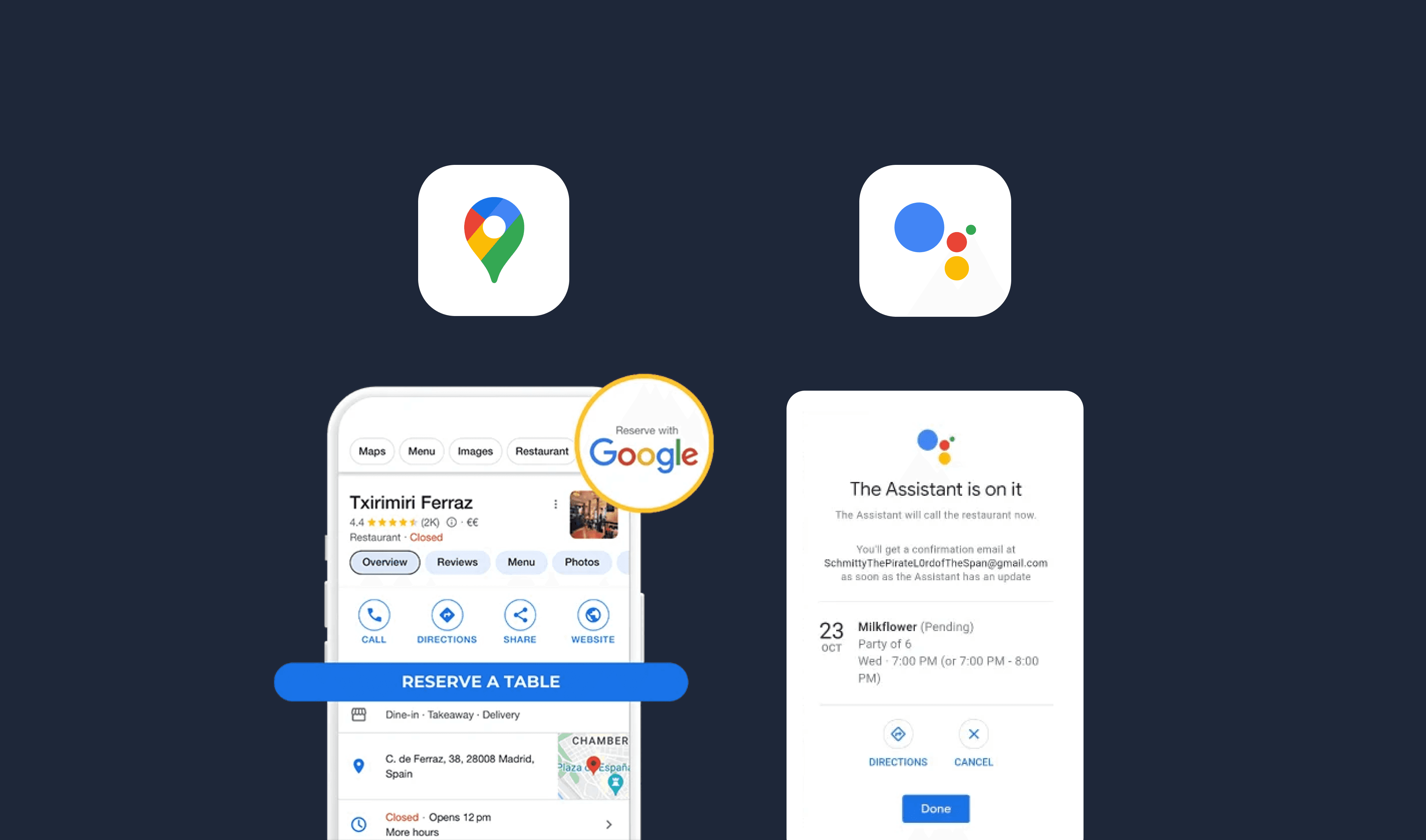
In-car voice assistants today handle only simple tasks—navigation, calls, and messages. Yet there's a growing potential to make these interactions smarter, more personal, and truly supportive of drivers' needs—helping them stay focused while managing daily routines on the road.
Our team saw an opportunity to expand this experience through something people already do every day: ordering food. We focused on designing a voice AI experience that helps drivers place orders, make reservations, and schedule food pickups — all safely and seamlessly during commutes. By using Google Maps, our concept utilizes Google’s strong ecosystem of navigation, location data, and food service integrations to create a smooth and contextual in-car experience.
Connecting Mobility with Everyday Convenience
Why does this matter?
Food ordering has become a central part of modern, convenience-driven lifestyles. As people increasingly expect to handle these tasks on the go, the demand for seamless, hands-free interactions continues to grow. Integrating food ordering into in-car voice AI not only aligns with these lifestyle shifts but also highlights a broader question:
How might in-car voice AI evolve to connect mobility with everyday convenience?
This question guided the direction of our research and design exploration that followed.
Framing the Design Challenge
What questions drove our design direction?
Before we started designing, we came up with several research questions to decide on a clear design direction.
How might we prototype personalized food recommendations with VUI based on individual user preferences, previous orders, and dietary restrictions?
How does VUI food ordering influence user trust, especially in terms of order accuracy, timely delivery, and payment security?
How might we minimize distractions and ensure safe VUI operation experiences for the users?
How might we design VUI to answer multiple requests effectively in one command rather than separate conversation interactions?
How might we structure a conversation that inspires trust in a VUI to execute commands perfectly?
How might we integrate food ordering systems and features with in-car navigation and driving through VUI?
Defining a Seamless Voice Ordering Experience
What would a conversational AI bot look like when designed for drivers on the road?
Our goal was to design a personalized voice AI that extends beyond basic tasks to support drivers’ everyday needs while keeping their attention safely on the road. By leveraging Google Maps’ contextual awareness, the system enables drivers to place food orders, make reservations, and coordinate pickups through adaptive, distraction-minimizing conversations.
Iterating Through User Testing
How were the idea and scenarios tested?
We conducted three rounds of user testing, each with four participants, to evaluate the overall flow and the different mental models across various scenarios.
Round 1 : Sound or Voice-Based Alarm Notification
Voice assistant notifies user that there is an accident ahead on the navigation route and asks if user wants to take an alternative route.
Test A : Only “Ping” Sound
Test B : “Ping” Sound + Voice
A “ping” sound combined with voice over is useful for creating situation awareness, especially when it is the driver’s first time ever hearing the notification.
•
“Ping” is the necessary attention grabber to create successful perception
•
Voice-over explains what is going on to create successful comprehension
•
Voice-over’s question that follows the description of the situation informs driver of what they can expect to be the next procedure to create successful projection
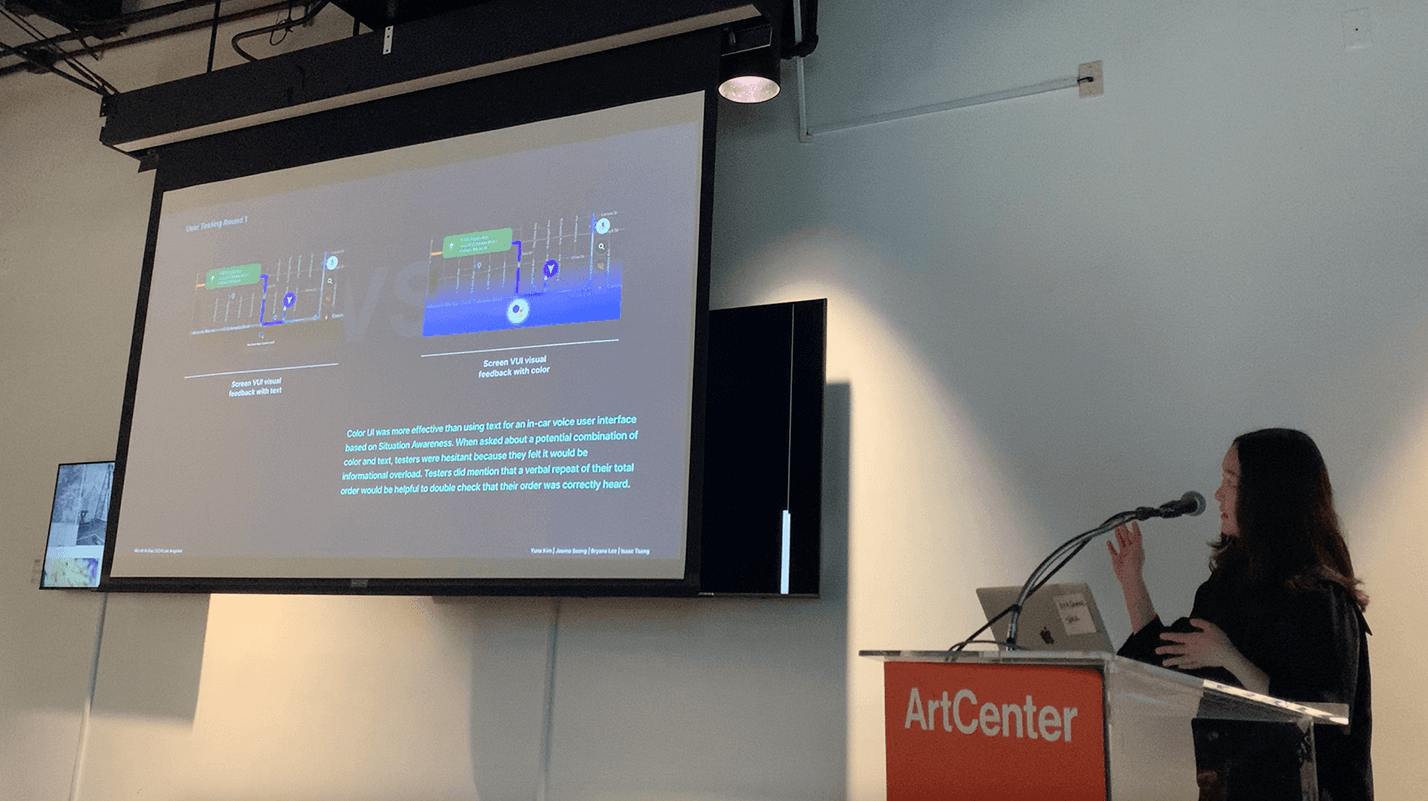
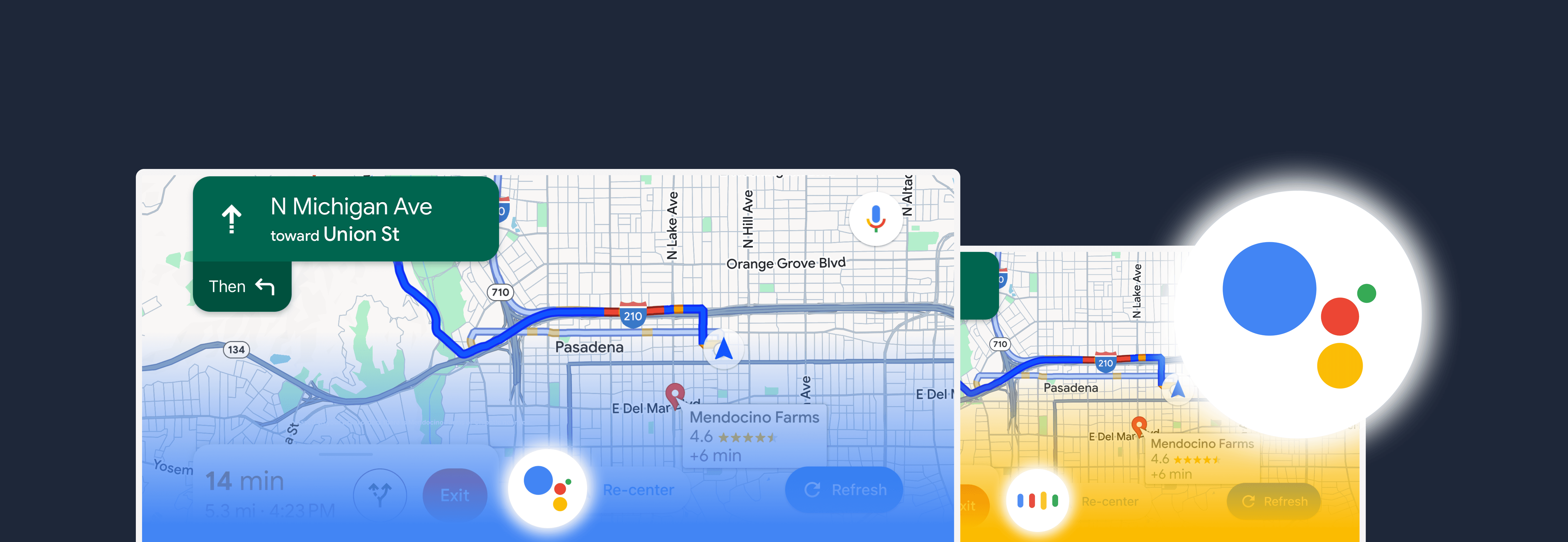
Round 2 : Color or Text Screen Feedback with VUI
Voice assistant notifies user that there is an accident ahead on the navigation route and asks if user wants to take an alternative route.
Test A : VUI Screen Feedback w/ Text
Test B : VUI Screen Feedback w/ Color
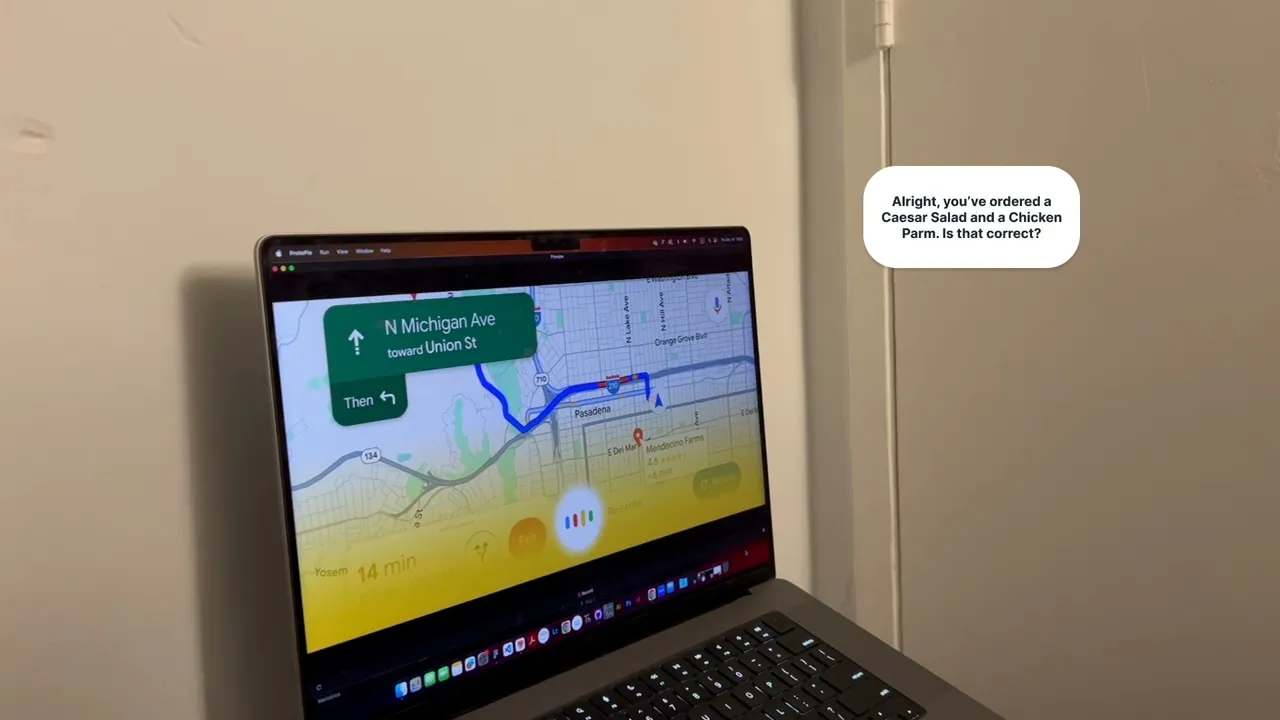
Color UI was more effective than using text for an in-car voice user interface based on situation awareness. When asked about a potential combination of both color and text, testers were hesitant because they felt it would be informational overload. Testers did mention that a verbal repeat of their total order would be helpful to double check that their order was correctly heard.
Round 3 : Different Mental Models for Emergency Alerts
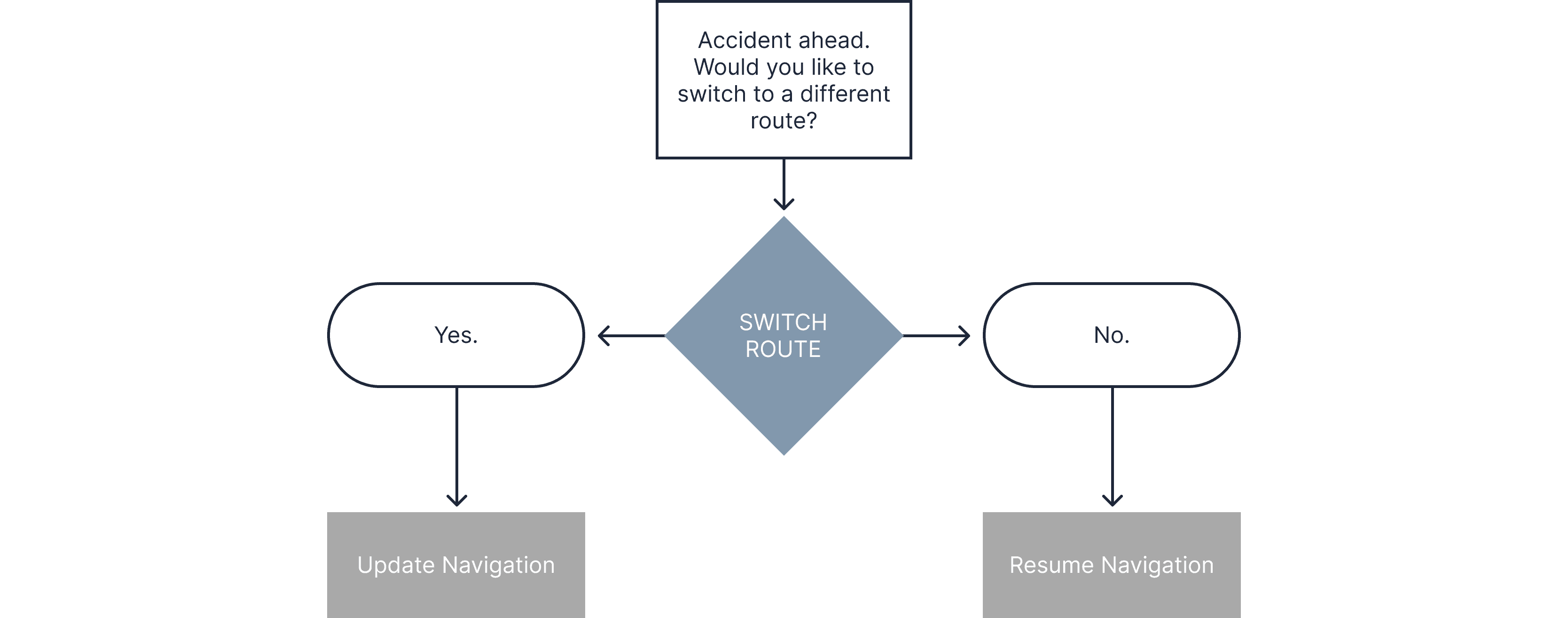
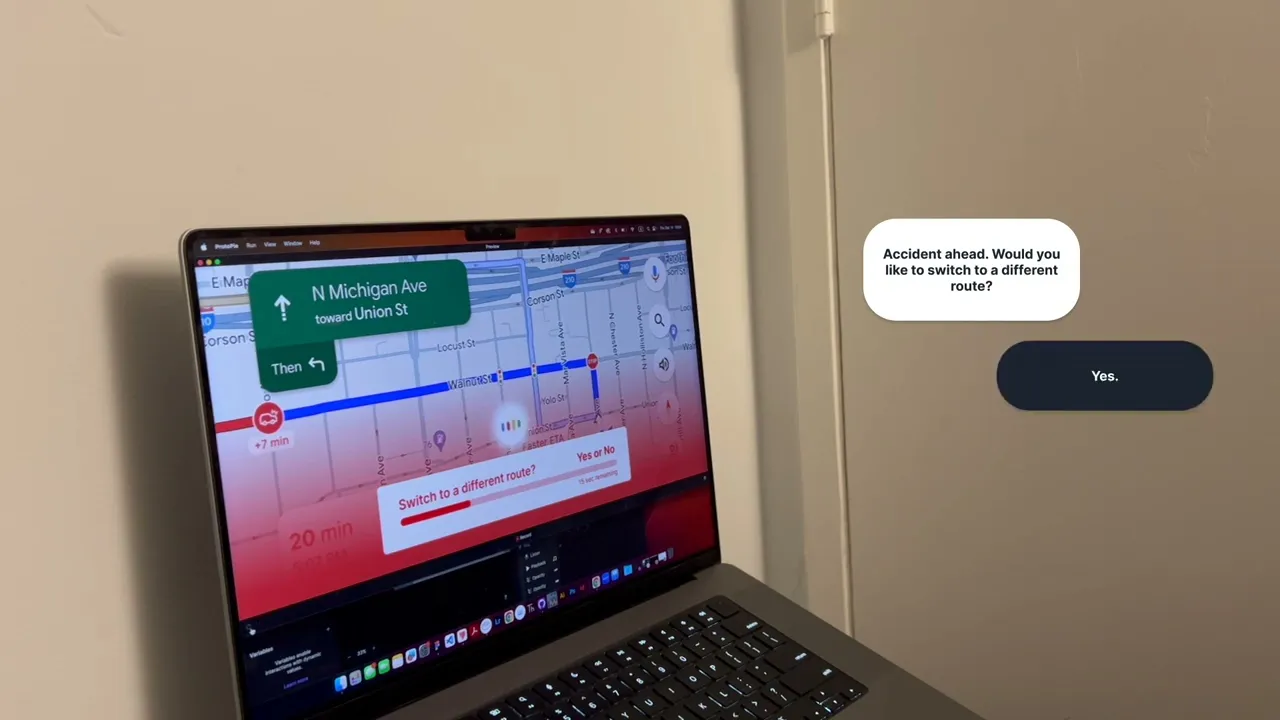
Voice assistant switching to a different route due to an emergency ahead with or without the decision of the user.
Test A : “Switch to a Different Route?” Yes or No Question (Ignore to Stay)
Test B : “Switching to a Different Route in 5 Seconds” Cancel (Ignore for New)
Providing a “yes or no” choice is a much more preferred option to cancelling an impending change during driving. The choice provides a much clearer indication to the driver of what process is happening and when they should provide input to VUI.
Designing the Conversation Flow
How do the conversations flow?
Using the research questions and user testings insights, we finalized four different user flows for four unique scenarios.
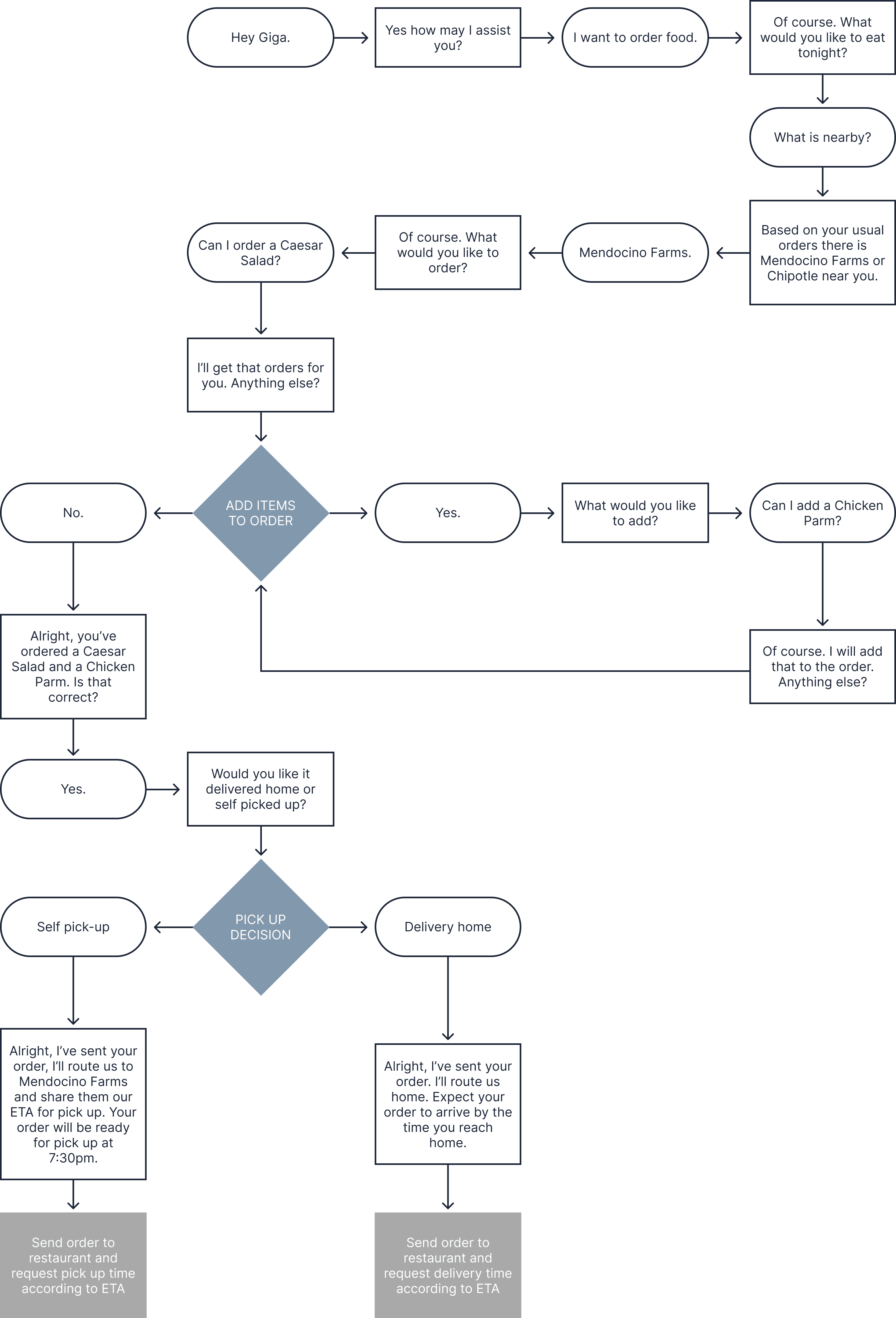
Ordering Food to Deliver Upon Arrival Home
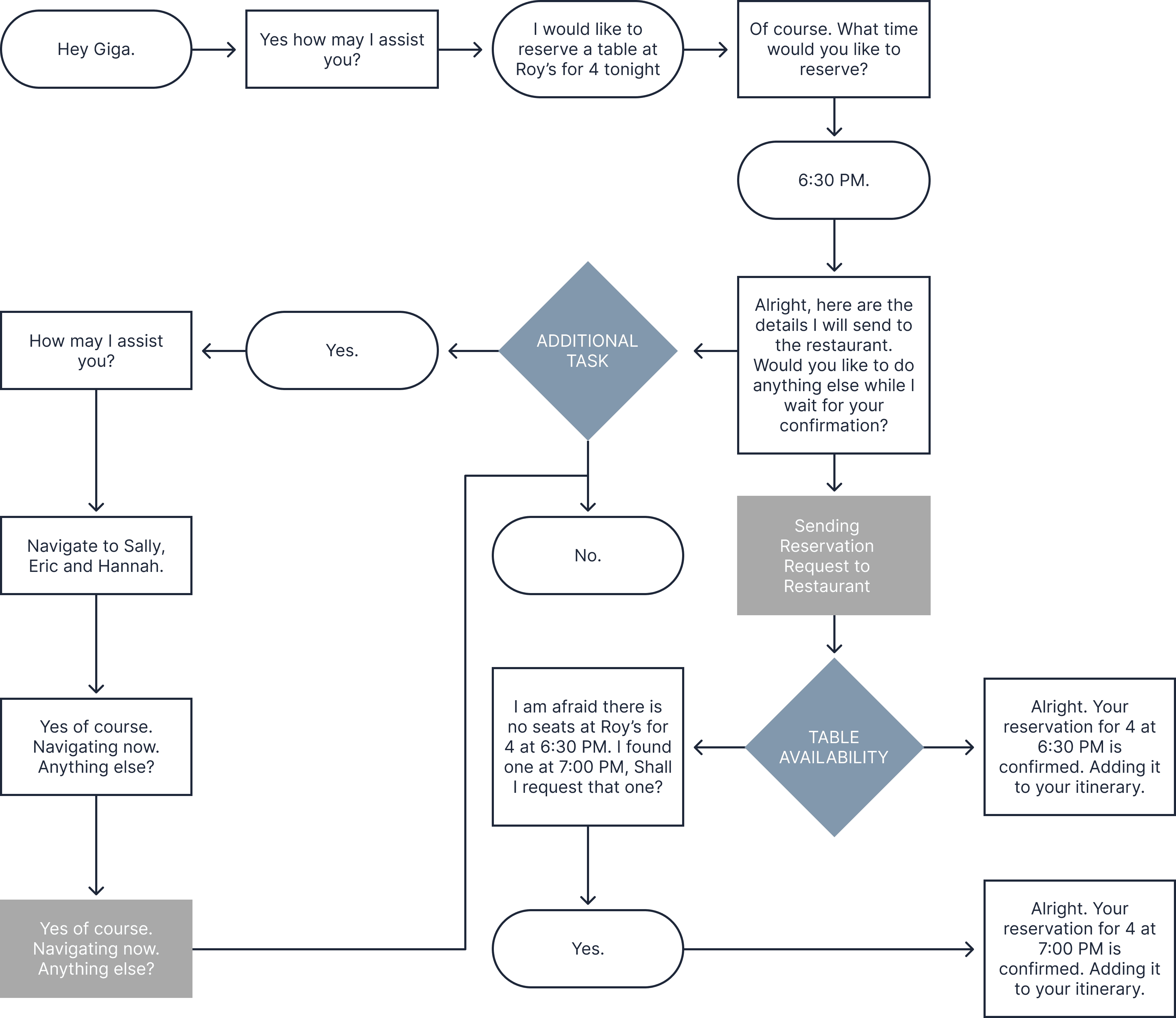
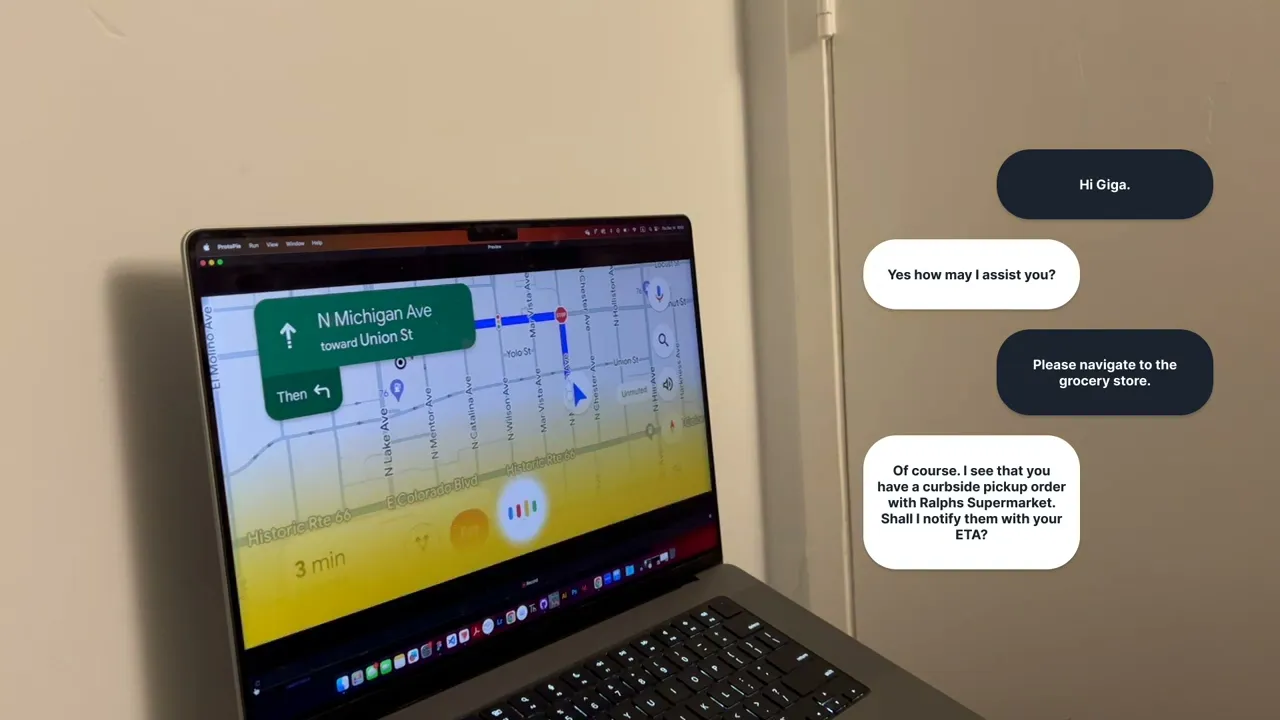
Making Reservation, Navigating to and Notifying Multiple People
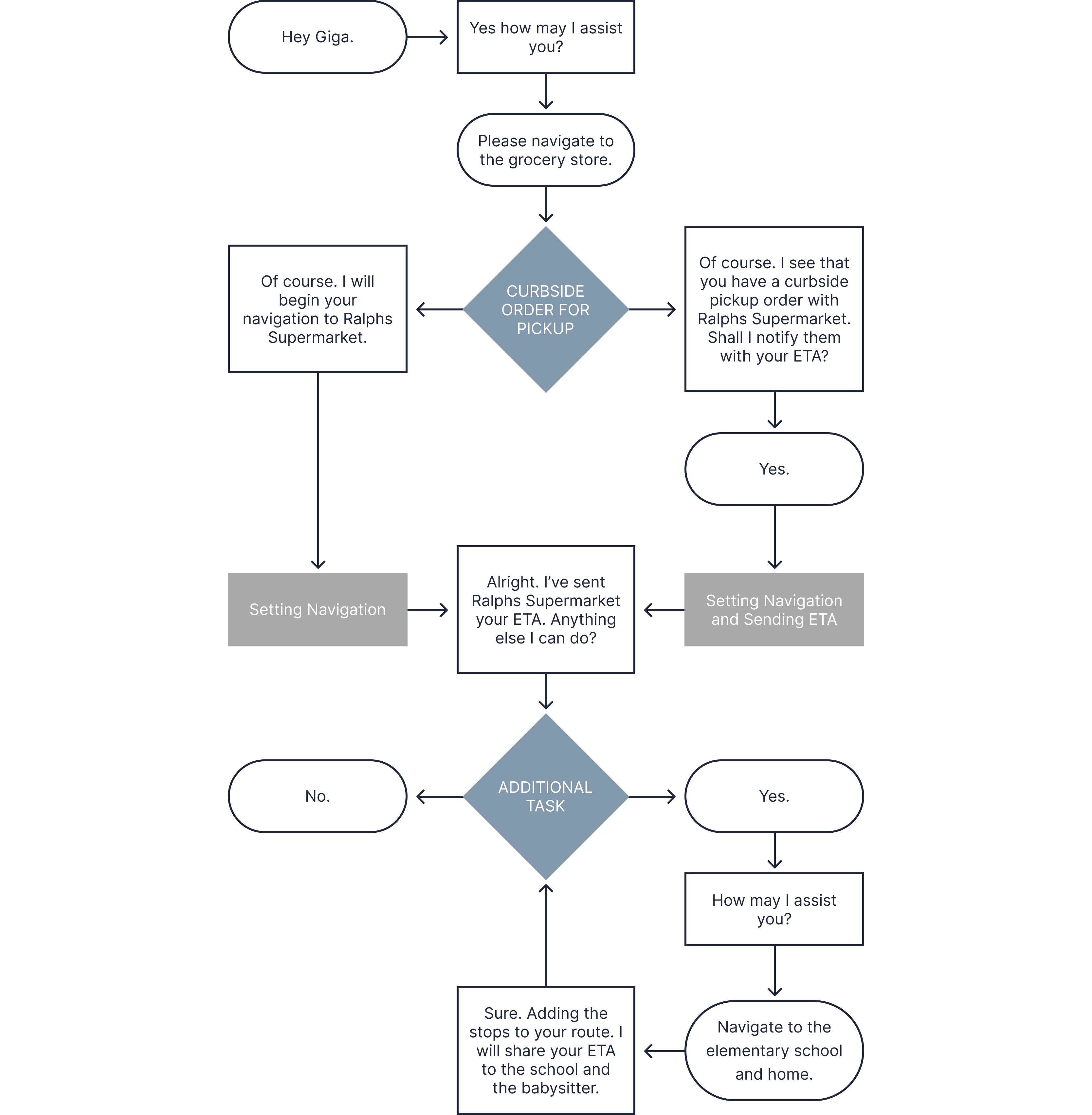
Navigating to Multiple Stops and Sharing ETA with Multiple People
Notifying Obstacle on Road and Alternative Routes
Final Outcome
What is the voice AI bot and how does it guide drivers through food ordering?
We designed a voice user interface as an AI bot that guides drivers through food ordering using natural, adaptive conversations. The bot understands user intent, provides contextual suggestions, and helps complete tasks such as searching, ordering, and scheduling pickups—all while allowing drivers to stay safely focused on the road.
AI Bot Persona
Meet Giga
Greetings!
My name is Giga, your on-board assistant from Google. I’m here to provide you quick and professional assistance and make sure you are well taken care of. Rest assured I will give you the best recommendations and easiest routes on your many journeys.
Flow 1
Ordering Food to Deliver Upon Arrival Home or Pick Up
1
Start driving home from school
2
Think about what to eat for dinner
3
Order food to be delivered by the time you arrive
4
Request to share ETA with restaurant and deliverer for precise delivery
5
Navigate home
Flow 2
Making Reservations, Navigating to and Notifying Multiple People
1
Start driving home from school
2
Think about what to eat for dinner
3
Make a reservation for four people at a restaurant in one hour
4
Need to pick up three friends and navigate to each friend
5
Share ETA with all 3 friends for all 3 stops with live location updates
6
Navigate to restaurant
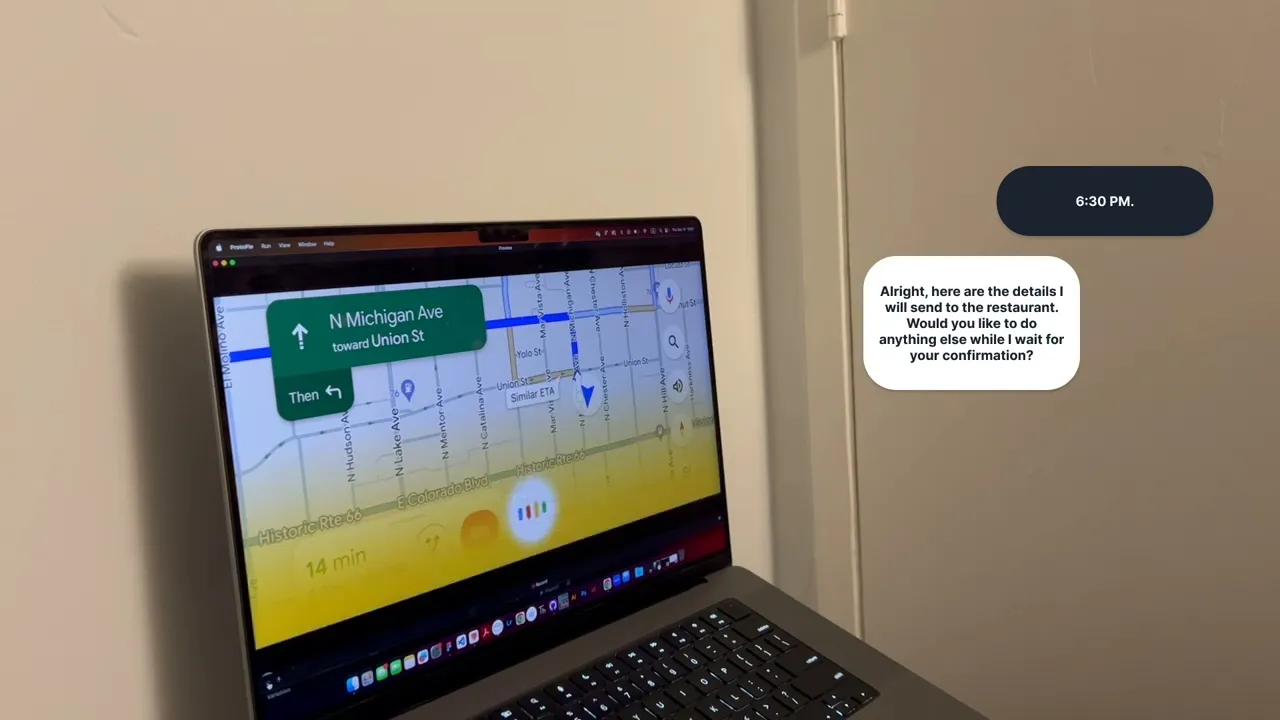
Flow 3
Navigating to Multiple Stops and Sharing ETA with Multiple People
1
Start driving home from work
2
Leave work to grocery store for curbside pick up order
3
Share ETA with grocery store, elementary school and babysitter
4
Navigate route to grocery store, elementary school and home in order
Flow 4
Notifying Obstacle on Road and Alternative Routes.
1
User is driving
2
Giga notifies user of an accident ahead on current road
3
User decides to switch to new route or stay on current route
4
Navigate to selected route
Project Takeaways
What did this project reveal about designing conversational AI for drivers?
Designing a voice user interface AI bot for an in-car environment reinforced the importance of safety, clarity, and trust in conversational interactions. We learned that clear verbal confirmations are essential for handling complex tasks like food orders and reservations, while visual feedback should remain minimal and serve only as reassurance. Strong auditory cues must clearly indicate when the system is listening, what it has understood, and whether a command has been completed. Most importantly, the VUI should avoid assuming user intent and instead offer options, allowing drivers to remain in control and build trust with the system.